


What's Visual AI Testing and Why It Matters
Visual AI Testing (also known as AI-powered visual testing or AI-based UI validation) is a modern software testing approach that uses artificial intelligence (AI) and computer vision to automatically verify the visual appearance and behavior of user interfaces (UIs).
Introduction of Visual AI Testing
Visual AI Testing (also known as AI-powered visual testing or AI-based UI validation) is a modern software testing approach that uses artificial intelligence (AI) and computer vision to automatically verify the visual appearance and behavior of user interfaces (UIs).
Instead of just checking code logic or functional correctness, Visual AI Testing ensures that the application looks and feels right to the end user — across different browsers, devices, and screen resolutions.

Key Areas of Visual AI Testing
1. Visual Regression Testing
- Purpose: Detect unintended visual changes between versions of an application.
- Example: A button shifts position or a color changes after a code update.
- AI Role: AI models compare screenshots intelligently, ignoring acceptable differences (like dynamic content) and flagging real issues.
2. Layout and Structure Validation
- Purpose: Verify that all UI components are correctly aligned, sized, and positioned.
- Example: Detect overlapping elements, spacing errors, or misaligned text after a layout update.
- AI Role: Uses computer vision to analyze geometry and spatial relations of UI elements.
3. Cross-Browser and Cross-Device Consistency
- Purpose: Ensure that the application looks consistent across browsers, operating systems, and devices.
- Example: Layout works perfectly on Chrome but breaks on Safari or mobile screens.
- AI Role: Automatically compares renders from different platforms to find inconsistencies.
4. Functional Visual Testing
- Purpose: Validate that the visual appearance of UI states matches expected user interactions.
- Example: Button hover states, animations, modal popups, progress indicators.
- AI Role: Detects whether visual feedback aligns with functional behavior during automated test runs.
5. Localization and Internationalization Testing
- Purpose: Check that UI adapts correctly to different languages, text lengths, and cultural formats.
- Example: German text expands and breaks the layout; right-to-left Arabic text misaligns.
- AI Role: Compares visual layouts for various locales and detects layout breaks or truncations.
6. Accessibility and Visual Clarity Testing
- Purpose: Ensure interfaces are visually accessible and readable for all users.
- Example: Contrast ratio too low for text, or color choices make elements indistinguishable.
- AI Role: Analyzes color contrast, font size, and element spacing to meet accessibility standards (like WCAG).
7. Dynamic and Responsive Content Testing
- Purpose: Validate visual integrity during UI state changes and responsive design behavior.
- Example: When resizing a browser window or loading dynamic content (e.g., ads, live feeds).
- AI Role: Tracks and compares UI changes across breakpoints or dynamic updates.
8. AI-Powered Anomaly Detection
- Purpose: Identify unexpected or subtle UI defects that human testers might miss.
- Example: Slight text cutoff, incorrect icon, or misplaced shadow effects.
- AI Role: Uses machine learning to learn what “normal” looks like and flag visual anomalies automatically.
9. Brand and Style Consistency Testing
- Purpose: Ensure brand guidelines are visually consistent across all screens.
- Example: Detect inconsistent logo usage, color schemes, or typography.
- AI Role: Compares UI visuals against predefined design standards or reference images.
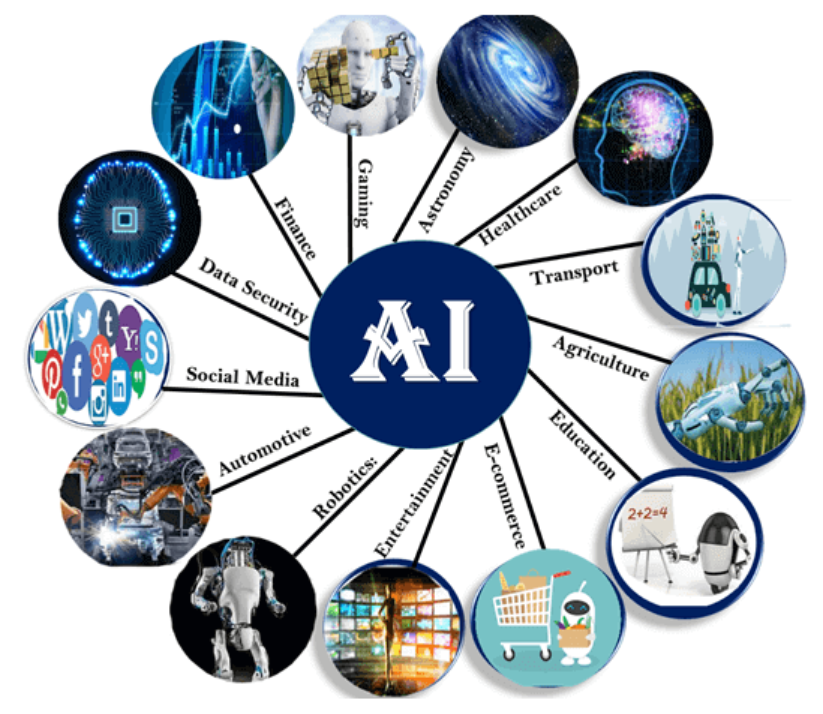
Visual Testing AI Tools
Visual testing AI tools are specialized software solutions designed to automate the validation of user interfaces (UI) by comparing visual elements across different devices, browsers, and screen sizes. These tools leverage AI and machine learning to detect visual discrepancies, ensuring consistent and high-quality user experiences. They are particularly useful for identifying layout shifts, color mismatches, font changes, and other visual regressions that may arise during development or deployment.
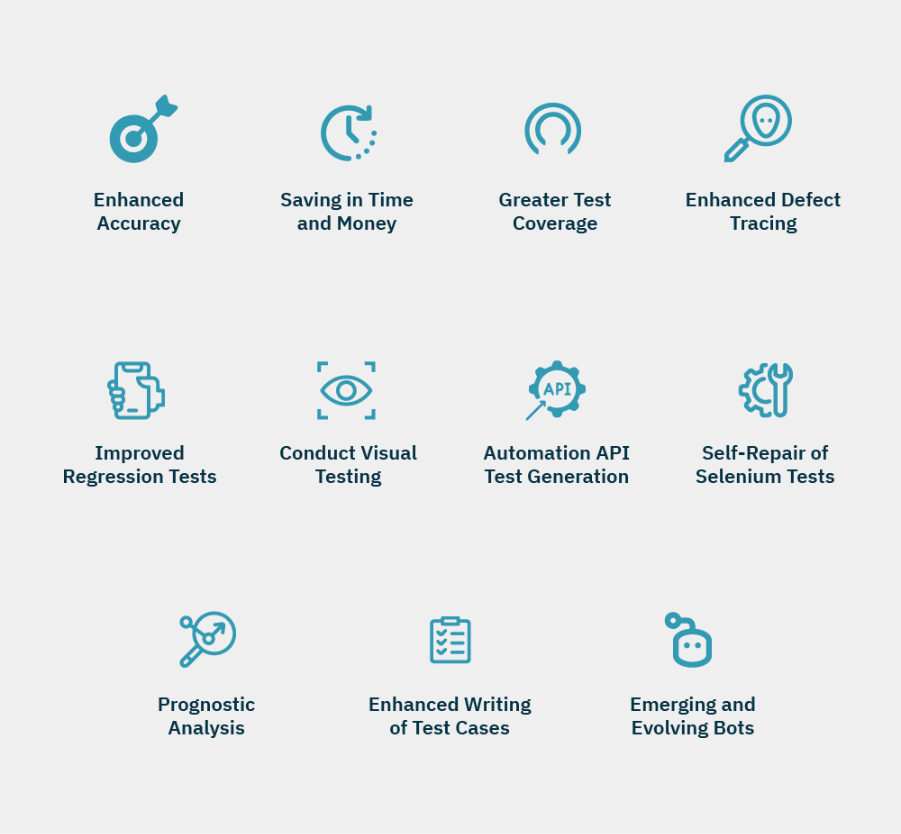
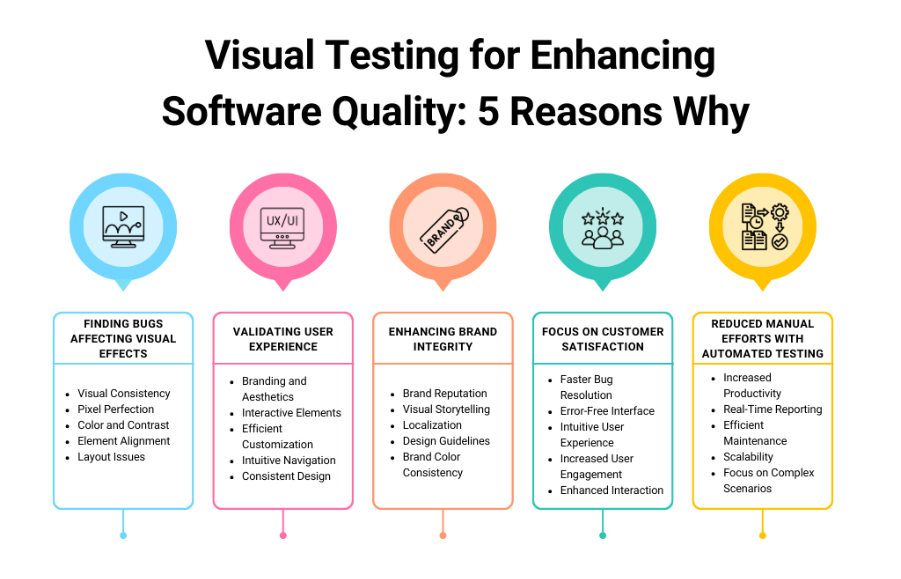
Key Features of Visual Testing AI Tools
- Automated Visual Regression Testing: These tools compare screenshots or UI snapshots to detect visual changes over time, ensuring that new updates do not break the existing design.
- AI-Powered Insights: Advanced algorithms analyze visual elements to identify subtle discrepancies, such as alignment issues or color inconsistencies.
- Cross-Browser and Cross-Device Testing: They ensure that applications render consistently across various browsers, operating systems, and devices.
- Integration with CI/CD Pipelines: Seamless integration with DevOps workflows allows for continuous testing and faster feedback loops.
- Self-Healing Capabilities: Some tools automatically adapt to UI changes, reducing the need for manual intervention and minimizing test maintenance.
Popular Visual Testing AI Tools
- Applitools: Known for its AI-powered visual testing capabilities, Applitools Eyes detects even the smallest visual bugs. It supports multiple frameworks like Selenium, Cypress, and Appium, and integrates easily with CI/CD pipelines.
- LambdaTest: Offers AI-driven visual regression testing with pixel-by-pixel image comparison. It supports over 3,000 browser and OS combinations and integrates with popular testing frameworks like Selenium and Cypress.
- Percy by BrowserStack: Specializes in responsive visual testing and pixel-by-pixel diffs. It is ideal for web-based applications and integrates with CI/CD tools for automated workflows.
- TestGrid: Provides exhaustive visual test coverage, validating text, images, layouts, and videos. Its AI-driven approach simplifies visual regression testing for mobile and web apps.
- Kobiton: Focused on mobile visual testing, Kobiton combines visual validation with UX testing to ensure a seamless user experience across devices.
Common Challenges in Visual AI Testing
1. Handling Dynamic and Animated Content
- Problem: Applications often include animations, carousels, ads, or live data (e.g., timestamps, charts).
- Impact: These constantly changing elements can cause false positives when AI flags every minor movement as a defect.
- Solution: Use intelligent masking, region exclusion, or dynamic element handling in test configurations.
2. AI Model Training and Accuracy
- Problem: AI systems must “learn” what the correct UI should look like. Insufficient or inconsistent baselines can reduce accuracy.
- Impact: Incorrect defect detection or missed anomalies.
- Solution: Maintain clean, up-to-date baseline images and continuously retrain AI with verified data.
3. Baseline Management
- Problem: Every time the UI intentionally changes (e.g., design updates, branding), baseline images must be updated.
- Impact: Managing multiple baselines across versions, themes, and environments becomes complex.
- Solution: Implement version control for baselines and review processes for approving changes.
4. Cross-Browser and Cross-Device Variability
- Problem: Different browsers, operating systems, or devices render elements slightly differently (fonts, spacing, colors).
- Impact: AI may flag these minor, acceptable variations as visual bugs.
- Solution: Train AI to tolerate platform-specific differences or use browser-specific baselines.
5. Integration with Existing Test Pipelines
- Problem: Integrating visual AI tools with established CI/CD or functional testing pipelines can be complex.
- Impact: Inconsistent test execution or delayed test cycles.
- Solution: Use tools with strong API/CI integrations and automate visual checks within DevOps workflows.
6. Cost and Resource Constraints
- Problem: AI-based image comparison and analysis require high processing power and storage capacity.
- Impact: Increased infrastructure or licensing costs, especially for large-scale projects.
- Solution: Use cloud-based AI testing services and optimize image storage through compression or selective capture.
7. False Positives and Negatives
- Problem: AI may misinterpret acceptable design changes (false positives) or overlook minor but significant visual issues (false negatives).
- Impact: Reduces tester confidence and increases manual review effort.
- Solution: Fine-tune sensitivity thresholds and use supervised learning with human feedback loops.
8. Complex UI States and User Interactions
- Problem: Dynamic UI states (hover, drag, dropdowns, modals) can be difficult to capture automatically.
- Impact: Some visual bugs may go undetected because certain interactions weren’t visually validated.
- Solution: Combine visual AI testing with scripted or functional automation tools (like Selenium, Playwright, or Cypress).
9. Maintaining Consistency Across Environments
- Problem: Differences in screen resolution, scaling, or font rendering across test environments can cause inconsistent results.
- Impact: Test instability and inconsistent baselines.
- Solution: Standardize environment configurations or use cloud-based visual grids.
10. Limited Contextual Understanding
- Problem: AI focuses on visual comparison, not intent. It doesn’t “know” whether a visual change affects usability or functionality.
- Impact: Some important issues (like hidden buttons or misleading visuals) may not be caught.
- Solution: Combine visual AI testing with usability and functional testing for holistic coverage.
Best Practices for Effective Visual AI Testing
- Use diverse, high-quality datasets.
- Combine automated testing with human review.
- Include edge-case scenarios that mimic real-world complexity.
- Continuously retest models after updates or retraining.
- Document results transparently for compliance and accountability.
Pros of Visual AI Testing
1. High Accuracy in Detecting Visual Defects
- AI-powered tools can detect subtle visual differences that humans or pixel-based comparison tools may miss.
- Reduces the risk of visual bugs reaching production.
2. Automation and Time Efficiency
- Automates the manual and repetitive task of checking screens, layouts, and designs.
- Greatly accelerates testing cycles, especially in agile and CI/CD environments.
3. Cross-Platform Consistency
- Ensures consistent UI appearance across browsers, devices, and operating systems.
- Helps maintain a unified user experience.
4. Smart Change Detection
- AI differentiates between intentional design updates and unintended visual defects.
- Reduces false positives and unnecessary manual review.
5. Improved User Experience and Brand Integrity
- Maintains design standards, color accuracy, and brand elements across all interfaces.
- Builds user trust and visual coherence.
6. Integration with DevOps Pipelines
- Easily integrates with CI/CD tools like Jenkins, GitHub Actions, and CircleCI.
- Enables continuous visual validation during automated builds and deployments.
7. Scalability
- Capable of analyzing thousands of screens, views, or test cases in parallel.
- Ideal for large, complex applications.
Cons of Visual AI Testing
1. Initial Setup and Training Effort
- Requires baseline images and some configuration before tests can run effectively.
- AI models may need time to “learn” what normal looks like for the application.
2. High Computational Resources
- Image comparison and machine learning analysis can be resource-intensive.
- May require cloud-based infrastructure for large-scale testing.
3. Handling Dynamic or Animated Content
- Visual AI can struggle with testing highly dynamic UIs (e.g., videos, transitions, live data).
- Risk of false positives if not properly configured.
4. Limited Context Understanding
- AI detects visual issues but doesn’t always understand functional intent (e.g., whether a button actually works).
- Still needs to be complemented with functional testing.
5. Cost of Tools and Licensing
- Advanced visual AI testing tools can be expensive for small teams or startups.
- Ongoing maintenance and storage costs may add up.
6. Baseline Management Challenges
- Maintaining accurate baselines across frequent UI changes can be complex.
- Requires a clear process for updating and approving new visual baselines.
Conclusion for Visual AI Testing
Visual AI Testing represents a major advancement in software quality assurance, bridging the gap between functional accuracy and visual perfection. By leveraging artificial intelligence and computer vision, it enables teams to automatically detect UI inconsistencies, layout defects, and design regressions that traditional testing methods often overlook.
This approach not only enhances the efficiency and reliability of visual validation but also ensures a consistent user experience across devices, browsers, and platforms. Moreover, AI-powered tools reduce manual effort, eliminate human bias, and accelerate release cycles through intelligent visual comparison and anomaly detection.